
ASL - Sign Language.learn ASL!
Educational quizzesEducation
4.7338.00 Reviews
- Version
- 1.14.28
- Installs
- 100.00K
- Age Rating
- Everyone
Screenshots
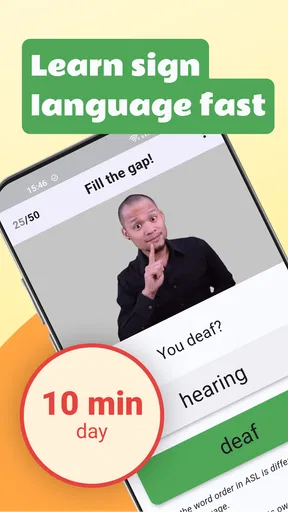
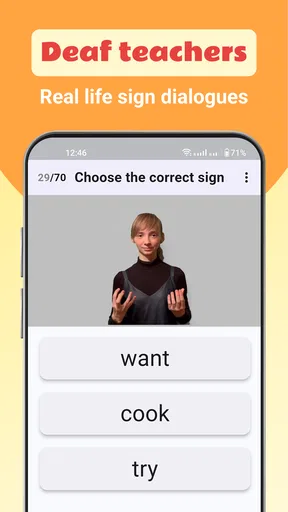
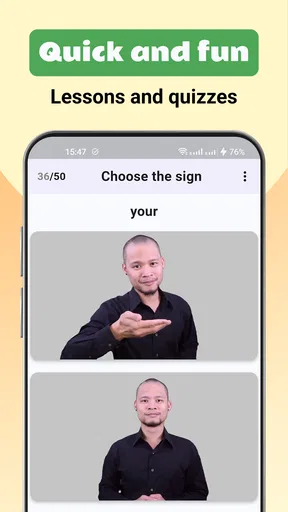
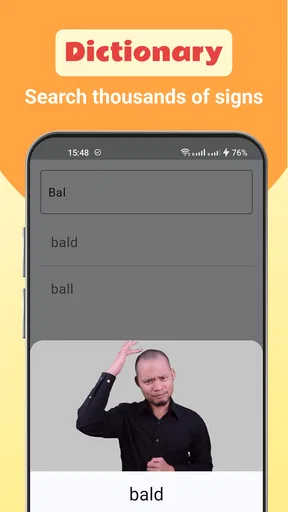
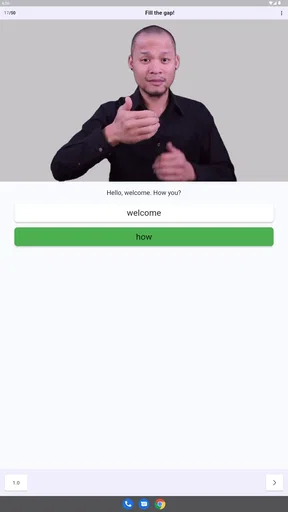
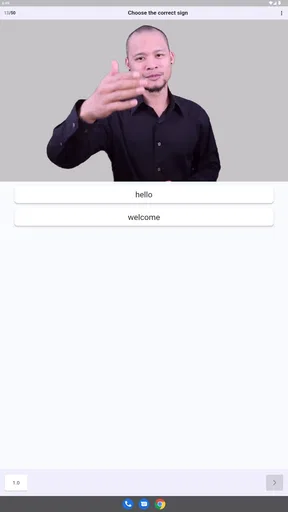
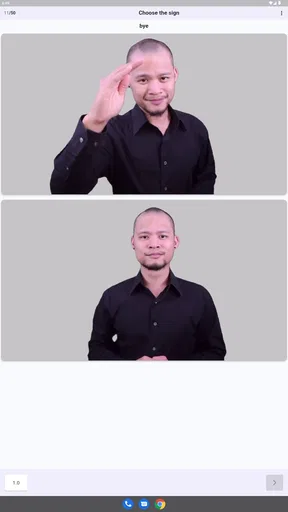
Our Review of ASL - Sign Language.learn ASL!
 Analysis by Appyee
Learning American Sign Language on a phone makes the subject feel more approachable, but it also changes how I think about study time. I can open a lesson while waiting for an appointment, review a sign after meeting someone who uses ASL, or spend a few minutes practicing instead of needing a textbook and a fixed class schedule. After using ASL - Sign Language.learn ASL!, I found it most useful as a gentle starting point for people who want regular contact with the language rather than a single burst of information.
This is a free education app from Educational quizzes, aimed at helping people learn ASL. It is rated for Everyone, works on Android 7.0 and later, and the current version is 1.14.28. The app has built a 4.7 average from around five thousand ratings and has passed one hundred thousand installs, which suggests that its simple approach appeals to a fairly broad group of learners. Optional in-app purchases range from $19.99 to $99.99 per item, so I would look carefully at what is included before paying for anything.
How ASL learning changes when the phone needs a connection
The first thing I noticed is that a sign-language learning app is not just a collection of written definitions. The value comes from seeing a sign, paying attention to its movement, and then trying to reproduce it. That makes the app especially sensitive to the way content loads and displays on a mobile device. When the connection is working smoothly, the experience feels immediate: I can move from a topic to a lesson, study a sign, and return to it without setting up a separate study session.
That convenience is strongest when I am at home or somewhere with a reliable connection. A short lesson fits naturally into a coffee break, and I do not have to carry a printed guide. The app’s focus is narrow enough to make the phone feel like a practical learning tool rather than a general-purpose classroom. I can concentrate on ASL instead of sorting through unrelated language material.
Network-dependent moments become more noticeable when I am moving between places. A lesson that opens quickly indoors may take longer in a crowded public area or during a commute. This matters because sign practice depends on continuity. If I have just learned a movement and want to check it again, waiting for content to appear interrupts the mental connection between seeing and doing. I found that it is better to begin a study session when I know I have a stable signal, especially if I want to work through several related signs.
I would not treat the app as a replacement for a live ASL class, a Deaf instructor, or regular interaction with fluent signers. A phone can show learning material, but it cannot respond to my hands, correct a subtle movement, or explain the cultural context of a real conversation. The app works better as an accessible first step and a review companion. That distinction is important for anyone whose goal is confident communication rather than basic familiarity.
What a short mobile session actually looks like
My most useful routine was to keep sessions small. Instead of opening the app and trying to absorb a large amount of vocabulary, I would focus on a limited group of signs, look at each one carefully, and then repeat the movements away from the screen. This avoids a common phone-learning mistake: confusing quick recognition with actual recall. If I can identify a sign when I see it but cannot produce it without help, I have not finished learning it.
A realistic example is a person preparing for a family gathering where an ASL user may be present. The app can help that person build a modest set of useful vocabulary before the event, then provide a convenient way to refresh it on the same day. I would still encourage practicing with another person and learning respectful communication habits, but the app can reduce the intimidation of starting from zero.
It can also suit someone who has encountered ASL through work, school, volunteering, or a personal relationship. In those situations, the main advantage is availability. I do not need to wait for a weekly class to revisit a sign that I forgot. A few minutes of review can keep the language present in my routine.
The mobile format has a less obvious weakness: hand visibility and posture are easy to neglect. If I hold the phone too low, watch while sitting awkwardly, or practice in poor lighting, I may pay attention to the screen without properly observing my own hands. I get more from the app when I first watch, then place the phone where I can move comfortably, and finally check the lesson again rather than copying continuously while staring down.
When connectivity helps, and when it gets in the way
A dependable connection makes exploration easier. I can move between learning areas without planning every step in advance, which is useful when I do not yet know which vocabulary I need. That kind of browsing is valuable for beginners because it lets curiosity guide the session. I might begin with a practical goal and then discover related material that gives the original topic more meaning.
The trade-off is that spontaneous learning becomes less dependable when the network is weak. If I am traveling, underground, in a building with poor reception, or trying to conserve mobile data, I would avoid relying on the app as my only study resource. I prefer to use it during connected periods and keep a separate personal review method, such as handwritten notes or a practice plan, for times when loading material is inconvenient.
This is not a criticism unique to language apps, but it matters more here because visual learning can be difficult to reconstruct from memory. A written note saying “move the hand this way” is not an adequate substitute for seeing the sign. For that reason, I plan my sessions around access rather than assuming that every useful lesson will be available at every moment. That small change makes the experience less frustrating.
Another practical point is privacy in public spaces. Studying on a phone is discreet, but practicing visible hand movements may attract attention or feel uncomfortable around strangers. I found that the app is better suited to a quiet corner, a home session, or a place where I can concentrate without worrying about bumping into someone. The freedom of mobile learning is real, but it does not mean every location is a good classroom.
Recovering from interruptions and forgotten signs
Mobile study rarely happens in perfect conditions. A notification, a phone call, a lost signal, or a rushed schedule can break the rhythm. When that happens, I find it more effective to return to the last sign I truly remembered instead of jumping ahead. Replaying the sequence in my head first helps me identify whether I forgot the handshape, the direction, or the timing. Then I use the app to check the specific point rather than restarting everything without a plan.
This approach also prevents false progress. It is easy to move through educational content simply because the next screen is available. I get better results when I treat each interruption as a reason to test recall. Before looking at the lesson again, I try to perform the sign from memory. If I fail, that is useful information, not wasted time.
For a beginner, the most important recovery habit is accepting repetition. ASL is visual and physical, so remembering a label is not the same as remembering how to make the sign. I would repeat a difficult item several times, pause, and then try it again later. Short gaps are helpful because they show whether I retained the movement or only recognized it moments after seeing it.
There is also a human side to recovery. If I make a mistake while communicating with someone, I should not assume that the app alone can explain the correction. Asking a fluent signer, teacher, or Deaf community member for guidance is more appropriate when accuracy or nuance matters. The app can support preparation, but real feedback remains essential for avoiding habits that a screen cannot detect.
Using the app without wasting mobile data
Because the learning experience relies on visual material, I would use a home or trusted Wi-Fi connection for longer sessions whenever possible. That is especially sensible for learners who have limited mobile data or who are studying while traveling. I would not repeatedly open and close the same material in a weak-signal area, since doing so can turn a five-minute review into a frustrating series of reloads.
A simple data-conscious workflow is to choose the topic before beginning, study with purpose, and avoid browsing aimlessly when the connection is expensive or unreliable. I also keep a short list of signs I want to revisit, so I can make one focused session instead of several scattered checks. This does not make the app a substitute for a downloaded course; it simply makes connected use more deliberate.
Battery matters too. Watching visual lessons, keeping the screen bright, and practicing for a long period can make a phone less convenient later in the day. I prefer several brief sessions over one extended session, both for retention and for practical phone use. If I am away from a charger, I study only the signs that match my immediate goal.
People considering the paid options should also think about their learning pattern. The app is free to start, but individual in-app purchases can cost from $19.99 to $99.99. I would first establish whether the basic experience fits my habits, then examine the purchase screen carefully before committing. A higher price makes more sense for someone who uses the app consistently and knows exactly what additional material they need; it is harder to justify for someone who is only curious about ASL.
Who will benefit most, and who should choose another route
I think this app is a good match for complete beginners, casual learners, family members of ASL users, and people who want a convenient visual introduction before joining a formal course. Its Everyone rating also makes it approachable for households looking for an educational activity that does not require specialized equipment. The strongest user is someone who will practice actively instead of treating the app as a passive video viewer.
It is less suitable as the main resource for an advanced learner, an interpreter-in-training, or anyone who needs detailed grammar, regional variation, conversation feedback, or professional assessment. Those users will likely benefit more from structured instruction with a qualified teacher and opportunities to communicate with real people. A general video platform may also be better for learners who want long explanations, cultural discussions, or lessons led by specific instructors.
Compared with a printed ASL guide, the app is more convenient for visual review and easier to carry. Compared with a live class, it is more flexible but far less responsive. Compared with broad language-learning apps, its advantage is focus: it is built around ASL rather than treating signing as one small part of a larger language catalog. The trade-off is that a focused app may not provide the same range of conversation practice or course structure that a full program offers.
One non-obvious advantage is that the phone lowers the emotional barrier to beginning. Many people delay learning because they worry about looking awkward in front of others. Private practice lets me make mistakes repeatedly before using a sign in conversation. That is valuable, provided I do not confuse private confidence with fluency. The app can help me start; it cannot finish the social part of learning.
My connectivity verdict
After using it as a mobile study aid, I see ASL - Sign Language.learn ASL! as a practical entry point rather than a complete ASL education. Its strongest quality is the way it places focused learning within reach during ordinary parts of the day. The experience is most comfortable with a reliable connection, a quiet place to practice, and a willingness to repeat signs instead of rushing through them.
I would recommend trying the free experience to anyone who wants to explore ASL, especially if a family, school, workplace, or community connection gives the learning a clear purpose. I would not recommend paying immediately, studying only in areas with unreliable reception, or using it as the sole preparation for serious communication. The app is at its best when combined with human feedback, respectful engagement with Deaf people, and a personal routine that continues beyond the screen.
My final advice is simple: use connected sessions for seeing and reviewing signs, use short offline moments for recalling what you studied, and return to real conversation as soon as you can do so appropriately. That balance turns a convenient education app into a more responsible learning tool. For beginners who want an approachable way to take the first step, it earns a place on my phone.
Verdict
Strengths of ASL - Sign Language.learn ASL!
- Clear lessons help beginners learn common ASL signs step by step.
- Useful practice for building everyday vocabulary and basic communication skills.
- Visual demonstrations make hand shapes and movements easier to understand.
- Suitable for self-paced learning without needing a scheduled class.
- Helpful starting point for learners interested in Deaf culture and ASL.
Limitations of ASL - Sign Language.learn ASL!
- It may not fully explain regional variations in signs across the United States.
- Some learners may need slower demonstrations or repeated motion examples.
- Vocabulary coverage may feel limited for advanced ASL students.
- The app should not replace practice with fluent signers or qualified instructors.
- Progress tracking and review tools may be less detailed than in paid courses.
Similar Picks in This Category
View All
Duolingo: Language Lessons
Duolingo4.7

Google Classroom
Google LLC2.8

Unacademy: Learn & Crack Exams
Unacademy3.2

Bible App for Kids
Life.Church4.4

Cake - Learn English & Korean
Cake Corp.4.7

Brainly: AI Homework Helper
Brainly4.5
Frequently Asked Questions
What is ASL - Sign Language.learn ASL!?
ASL - Sign Language.learn ASL! is an educational app designed to help beginners study American Sign Language through guided lessons and visual demonstrations. It focuses on learning common signs, everyday expressions, and useful vocabulary. The app can be helpful for people who want to communicate with Deaf or hard-of-hearing individuals, although regular practice and real interaction are still important for developing natural signing skills.
Is ASL - Sign Language.learn ASL! suitable for complete beginners?
Yes, the app is generally aimed at beginners and introduces signs in a simple, visual format. New learners can start with basic vocabulary and gradually move toward more practical expressions. However, users should not expect to become fluent immediately. ASL includes its own grammar, facial expressions, and sentence structure, so the app works best as an introduction or practice tool rather than a complete replacement for a qualified ASL teacher.
What can I learn with this ASL app?
The app typically covers useful signs and phrases related to everyday communication, such as greetings, family, numbers, food, emotions, school, and common activities. Its visual approach makes it easier to observe hand positions and movements than studying from text alone. The exact topics and lesson organization may vary by version, so users should check the available content and features on their device before downloading.
Does ASL - Sign Language.learn ASL! require an internet connection?
Some parts of the app may work offline after content has been downloaded, while other features, videos, advertisements, updates, or premium materials may require an internet connection. Availability can depend on the version installed and the operating system being used. If you plan to study while traveling or without mobile data, it is a good idea to open the lessons beforehand and confirm which content remains accessible offline.
Is ASL - Sign Language.learn ASL! free to use?
The app may be available to download for free, but free access can include advertisements, limited lessons, or optional in-app purchases. Premium features may unlock additional vocabulary, remove advertising, or provide a broader learning experience. Before confirming a purchase, review the app’s current pricing, subscription terms, and cancellation policy in the Google Play Store or Apple App Store, since these details can change over time.
